From Pet Arrays to a Storage Fleet: Pure Fusion in the Basement Rack — Part 2
December 1, 2025
Enabling Fusion: Or: How I Thought Fusion Would Be Hard, But It Was Really Just Active Directory (Again)
After finishing Part 1, I walked away feeling pretty good. I had:
- Retired a long-serving Windows Server 2012 R2 domain controller
- Promoted a shiny new Windows Server 2022 DC
- Survived a full-house outage caused by DNS
- Put proper forwarders and NIC settings in place
I was mentally preparing myself for the “hard part”: setting up Pure Fusion in the lab.
In my head, this was going to take days. I’d be reverse-engineering config, pinging one of the super-bright engineers on my team, and drawing diagrams at midnight.
Reality check:
Once AD was healthy, Fusion setup was almost boringly straightforward.
The real work wasn’t Fusion. The real work was paying off my own identity and DNS technical debt.
From “Pet” Arrays to a Storage Fleet
In the world of enterprise storage, we’ve spent decades meticulously managing individual arrays. We named them, we nurtured them, and we manually balanced workloads between them. We treated them like pets.
The Enterprise Data Cloud flips that model. The goal now is:
- Storage-as-Code: Infrastructure consumed via API, not tickets.
- Cloud Operating Model: Storage presented as a pool, not a stack of “boxes.”
- Automated Workload Placement: The control plane decides where data lives.
This is the promise of Pure Storage Fusion.
Fusion isn’t a management interface; it’s a SaaS control plane that brings the cloud operating model to on-premises hardware. It abstracts physical storage arrays into:
- Storage Classes
- Presets
- Workloads and Servers
For the customer, the value is clear:
- Infinite Scale (conceptually): Merge fleets of arrays into what feels like endless capacity.
- Self-Service: Developers consume storage via API without waiting for “that one storage person” to get to a ticket.
Intellectually, I understood all of this. But as a technologist, I don’t truly know a product until I’ve wired it into my own lab and broken it a few times.
The Home Lab Reality Check
I wanted to take my existing Pure arrays and subjugate them to the Fusion control plane in my home lab. But, as any home lab person knows, you can’t just install the cool new thing without paying your technical debt first.
Fusion has expectations. Your arrays can’t behave like independent pets anymore — they need to act like members of a collective.
Before I could click “Create Fleet”, the lab needed three things:
- A common language (Purity version)
- A shared identity (LDAP / AD)
- An open line of communication (network reachability)
Part 1 took care of identity: upgrading AD, fixing DNS, and stabilizing the foundation.
Part 2 – this post – is all about:
- Configuring LDAP integration on the arrays
- Fixing a very real, very confusing LDAP DN error
- Setting up the Fusion fleet
- Provisioning volumes from Fusion and watching data land on the “right” array automatically
And yes, along the way… there are screenshots. Lots of screenshots.
The Price of Admission: What Fusion Demands
Bringing the cloud operating model to on-premises hardware isn’t magic; it’s engineering.
Fusion essentially demands that your “pet” arrays stop acting like individuals and start acting like part of a fleet.
To make that happen, the arrays need three things: a common language, a shared identity, and an open line of communication.
1. The Common Language: Purity 6.8+
Fusion is not a bolt-on appliance; it’s native to the Purity operating system.
-
Minimum Requirement:
Purity 6.8.1or higher.
Below this, your arrays literally don’t speak “Fleet.” -
My Lab Target:
Purity 6.9.2(Enterprise Ready Release).
In enterprise environments, ERs are the sweet spot for stability. In the lab, I want the same thing plus a smoother Fusion experience than the early 6.8 days.

2. The Shared Identity: LDAP / Active Directory
This is the star of today’s show.
In the old world, you could get away with logging into array-01 and array-02 as pureuser using local accounts. In a Fusion fleet, local users are second-class citizens. At least for now. Engineering team at Pure never stops innovating.
Fusion treats your storage as a single, policy-driven pool. If you ask the fleet to create a volume, Fusion decides which array executes that work. For this to be secure and auditable, the fleet needs to know exactly who you are, no matter which physical box you’re hitting.
- Requirement: All arrays must be integrated with a centralized directory (LDAP / AD).
- Constraint: Fleet operations require authenticated directory users. Local-only accounts don’t cut it.
- Impact: If your AD is running on a dusty, deprecated 2012 R2 box (like mine was), your storage “cloud” is built on a shaky foundation.
Part 1 solved that by modernizing AD and fixing DNS. Now we actually get to use it.
3. The Open Line: Full Mesh Management Connectivity
Fusion establishes a control plane where arrays communicate peer-to-peer to synchronize state and configuration.
- Requirement: Every array must have network reachability to the management IP of every other array in the fleet.
- Gotcha: If you have arrays in different VLANs or sites, you must allow HTTPS (443) bidirectionally between them.
If Array A can’t talk to Array B over the management network, they can’t live in the same Fusion fleet. Simple as that.
Building the Identity Backbone for Fusion
With AD upgraded and DNS fixed from Part 1, I could finally build a proper identity structure for Fusion and the arrays.
Creating the AD Structure for Pure
In AD, I built a clean hierarchy for Pure-related objects:
OU=HomeLab
    OU=SANManagers
    OU=pureadmins
Inside this structure, I created:
- A bind account for LDAP:
ldapbind- Password never expires
- No interactive logon
- Delegated minimal rights needed for lookups
- Security groups for authorization:
pureadmins
- A-records for array management IPs:
DMITRYHL-PURE01.dimahome.localDMITRYHL-PURE02.dimahome.local
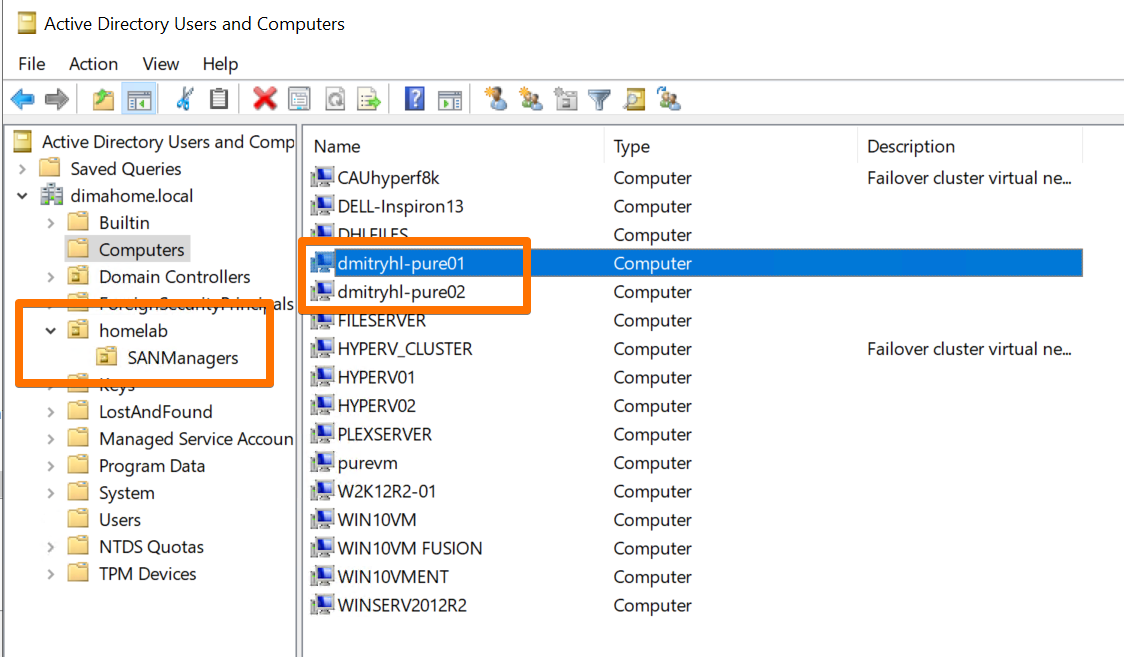
This is where Fusion starts feeling like a proper enterprise product, even in a basement lab: identity is central, clean, and consistent.
LDAP Integration on FlashArray: Surprisingly Easy (When AD Is Right)
Here’s something I love about Pure: the documentation is built into the product.
On the FlashArray, if you hover over “Help” in the GUI, you get direct access to the live, always-current manual. No searching PDFs. No praying that a 2‑year‑old PDF is still correct. The LDAP configuration steps, examples, and field descriptions are all there, in context.
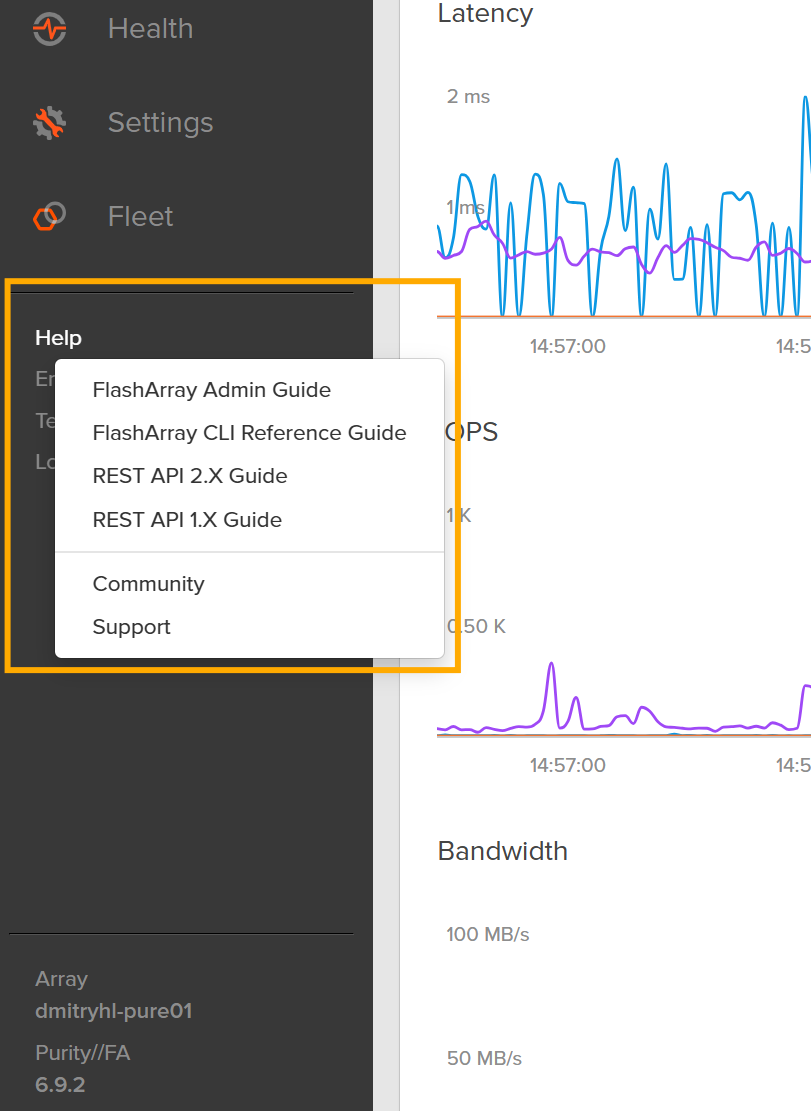
That meant that once my AD structure existed, I could configure LDAP without a browser tab zoo.
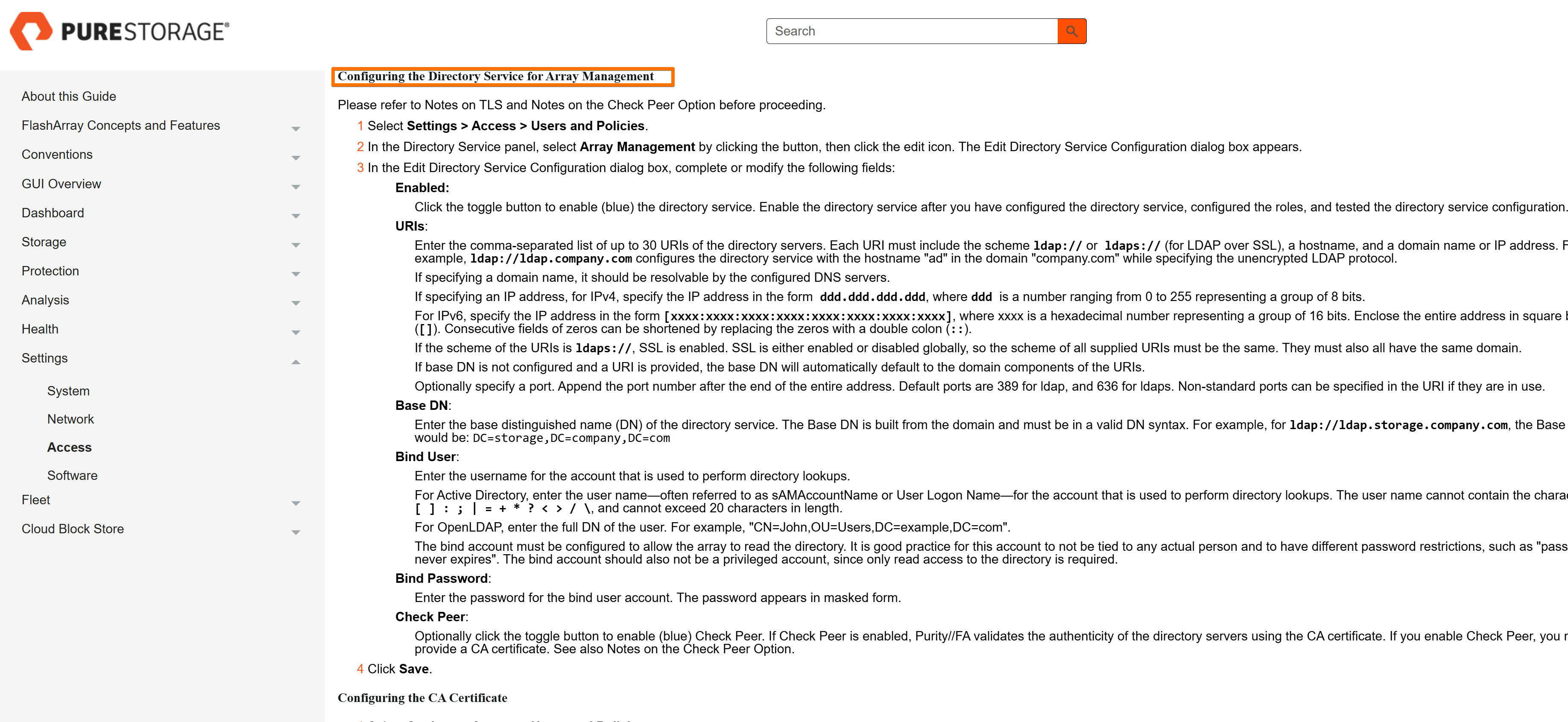
Configuring Directory Service on the Array
On each array:
- Go to Settings → Access → Users and Policies → Directory Service.
- Enter:
- Base DN
- Bind DN and password
- Group Base
- User and group search settings
- Map AD groups to array roles (for example,
array_admin).
Once that’s done, the magic button is Test.
And this is where my lab reminded me that nothing is ever truly “one and done.”
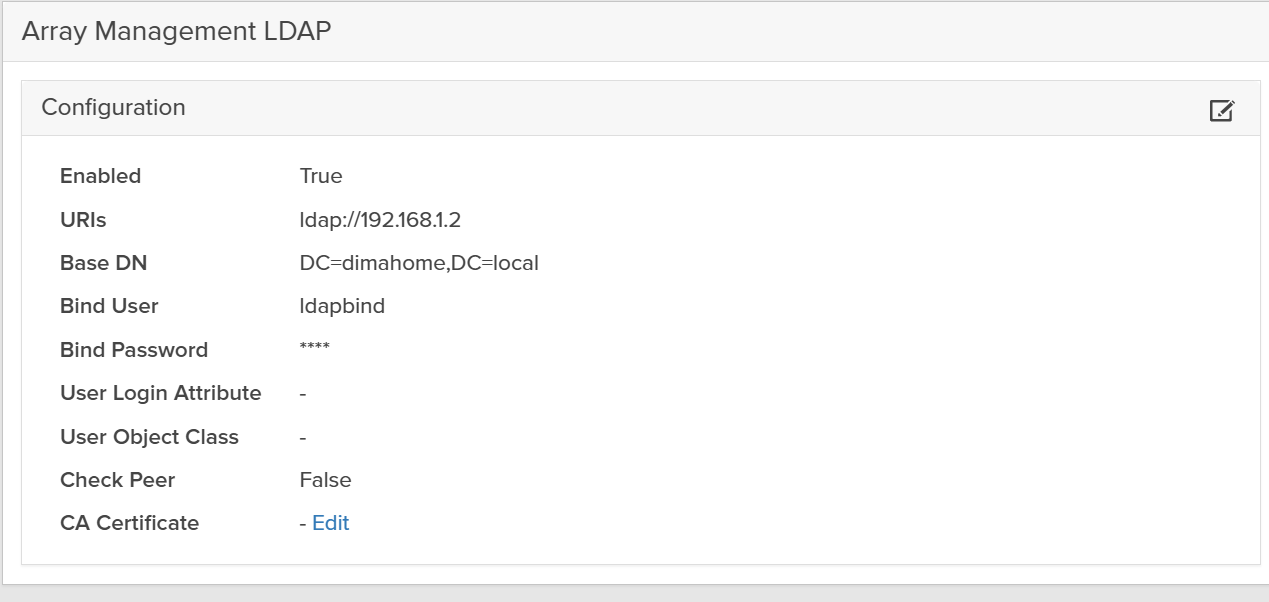
When LDAP “Works” in Theory but Fails in Practice
The first time I hit Test on the LDAP config, I was expecting a green checkmark.
Instead, I got an error that boiled down to:
“The DN you’re trying to use does not exist.”
But the group did exist. I had literally just created it in AD.
Here’s what was going on.
The Error: A DN That Literally Doesn’t Exist
The error revealed that the array was trying to look up this DN:
CN=pureadmins,OU=homelab,DC=dimahome,DC=local,DC=dimahome,DC=local
If you look closely, the domain portion is duplicated:
...,DC=dimahome,DC=local,DC=dimahome,DC=local
But in AD, the real group DN was:
CN=pureadmins,OU=homelab,DC=dimahome,DC=local
So why was FlashArray hallucinating an extra DC=dimahome,DC=local?
How FlashArray Builds the DN
FlashArray constructs the DN it searches for using this pattern:
CN=<Group>,<Group Base>,<Base DN>
So if your actual group DN is:
CN=pureadmins,OU=homelab,DC=dimahome,DC=local
and the array is ending up with:
CN=pureadmins,OU=homelab,DC=dimahome,DC=local,DC=dimahome,DC=local
that means you have the domain part (DC=dimahome,DC=local) in both:
- the Group Base field, and
- the Base DN field.
This is one of those subtle configuration mistakes that’s completely obvious… once you see it.
Fixing the Group Base / Base DN Split
Here is exactly how I fixed it (and how you can avoid the same pitfall).
1. Confirm the Actual DN in AD
On a domain-joined machine or on the DC, I ran:
(Get-ADGroup pureadmins).DistinguishedName
The output:
CN=pureadmins,OU=homelab,DC=dimahome,DC=local
This confirmed:
- The CN (common name) is
pureadmins. - The OU path is
OU=homelab. - The domain components are
DC=dimahome,DC=local.
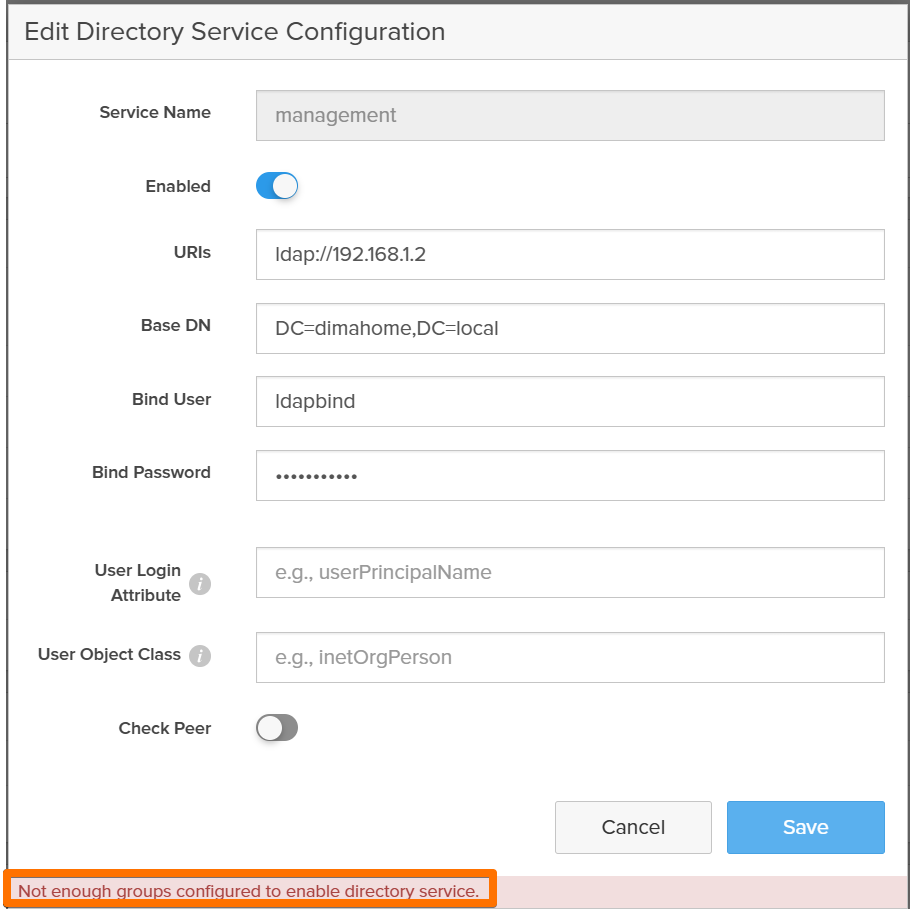
2. Correct the Split on the FlashArray
Back on the array, under:
Settings → Access → Users and Policies → Directory Service
For the role where I mapped this group (for example array_admin), I changed:
- Group =
pureadmins - Group Base = only the OU chain (no DCs):
OU=homelab
In the Configuration section:
- Base DN = only the domain components:
DC=dimahome,DC=local
This matches the documented pattern:
DN = CN=group,OU=...,OU=...,DC=...,DC=...
If your groups live deeper, like:
CN=pureadmins,OU=PureGroups,OU=homelab,DC=dimahome,DC=local
then the correct split is:
- Group Base =
OU=PureGroups,OU=homelab - Base DN =
DC=dimahome,DC=local
The golden rule:
Group Base = OU-only
Base DN = DC-only
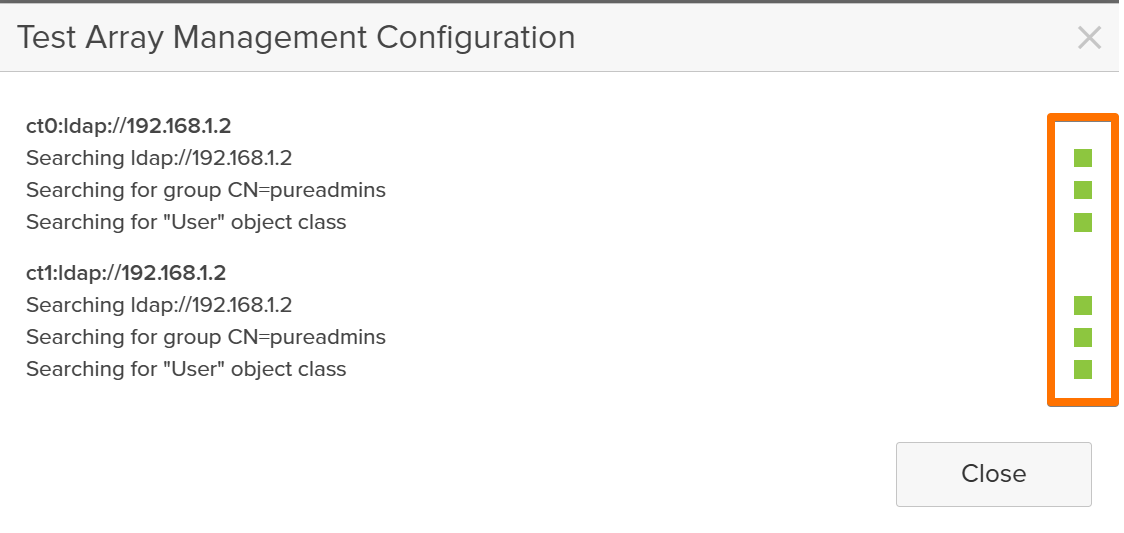
Once I fixed that, I clicked Save, then Test again.
Green checkmark. LDAP happy. Sanity restored.
Testing Access with a Directory User
With LDAP finally behaving, I tested real-world access:
- Log out of the array GUI.
- Log back in using a domain user who’s a member of
Pure-Array-Adminsor whatever group you mapped. - Confirm that:
- Login works
- The correct role and permissions are applied
This is a great point to grab a screenshot for the blog:
At this point, each array in the lab:
- Trusted the upgraded AD
- Was using directory-backed auth instead of local-only accounts
- Could map roles to AD groups cleanly
Identity: ✅
Now it was time to think fleet, not individual arrays.
Creating the Fusion Fleet
With Purity versions aligned, AD integrated, and networking confirmed, setting up Fusion felt refreshingly simple.
In the FlashArray UI:
- Navigate to Fleets → Create Fleet.
- Give the fleet a name (something more creative than
lab-fleet, but that’s where I started). - Define Availability Zones that map to:
- different racks, rooms, or “sites” in the lab
- Add the arrays to the fleet.
Fusion validates:
- Purity versions
- Connectivity to the arrays
- Certificates and trust
- Health of each system
Everything came back green.



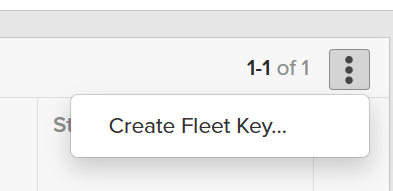
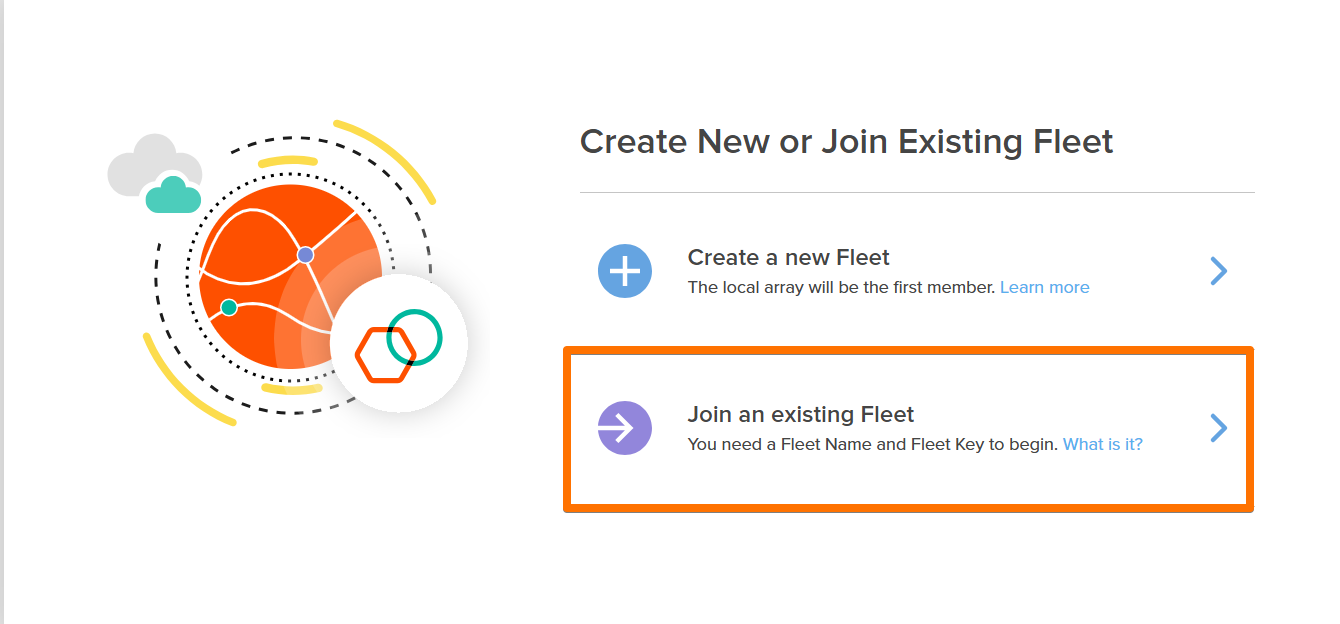
Next step is to create a unique Fleet Key.
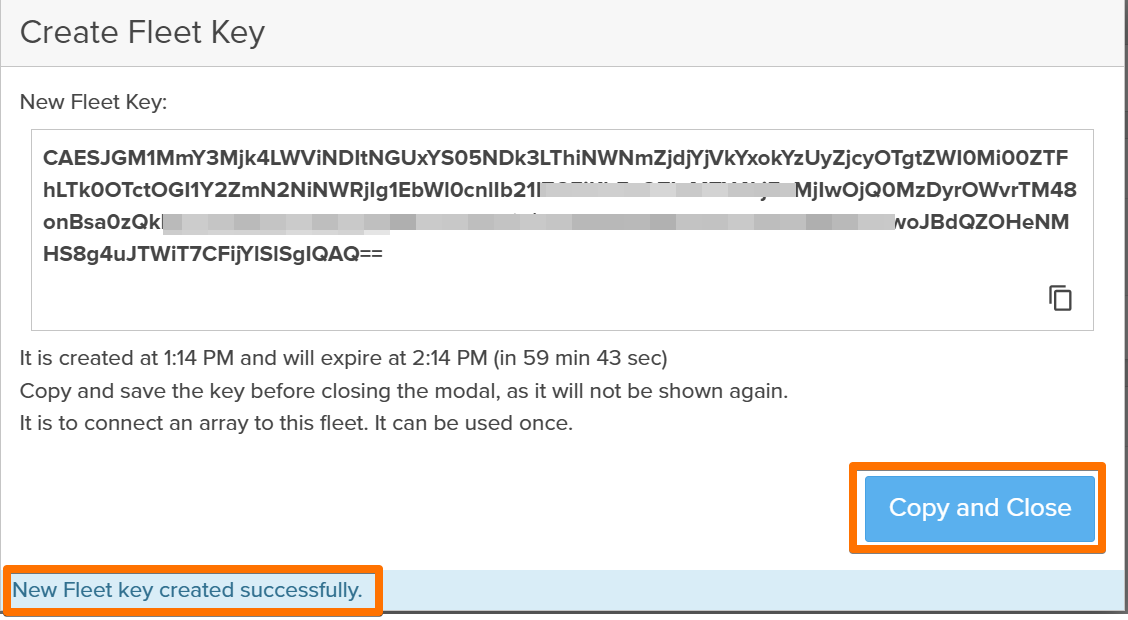
I then went to the second array and repeated the LDAP configuration and added the array to now existing fleet.
On this array, the option I used is *Join Existing Fleet
This was the moment where the lab stopped feeling like two arrays and started feeling like one storage platform.

The Magic Moment: Provisioning Storage from the Fleet
With the fleet up, I created my first volume from Fusion, not from an individual array.
At this point, my mental model had to shift:
- I’m no longer asking “which array should host this volume?”
- I’m describing what I want in terms of policies and performance.
Fusion decides where the volume lives based on:
- Availability Zone
- Storage Class
- Protection and replication policies
I even created a volume that was automatically protected and replicated to the other array. The control plane handled:
- Initial volume placement
- Protection policy
- Replication relationship
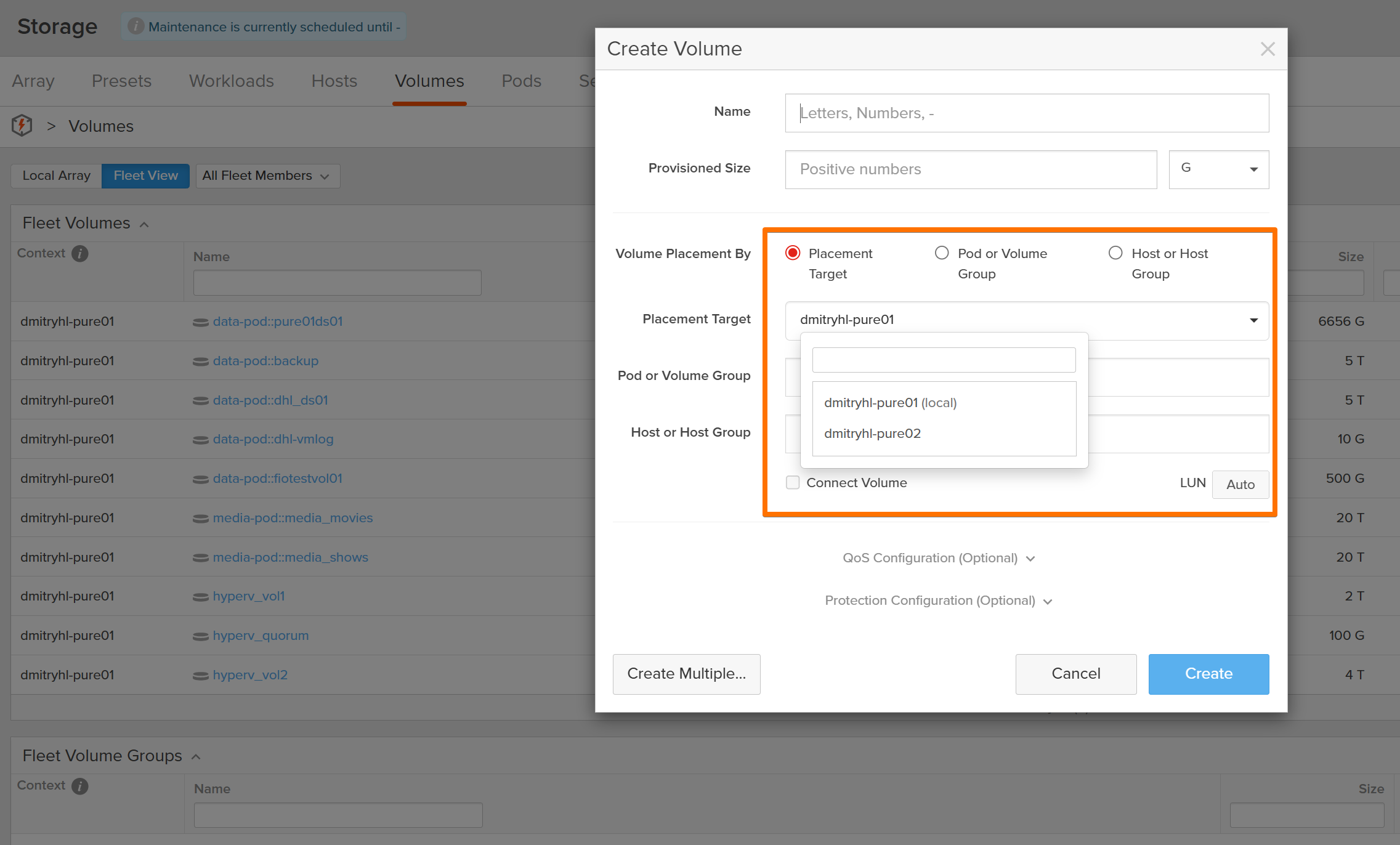
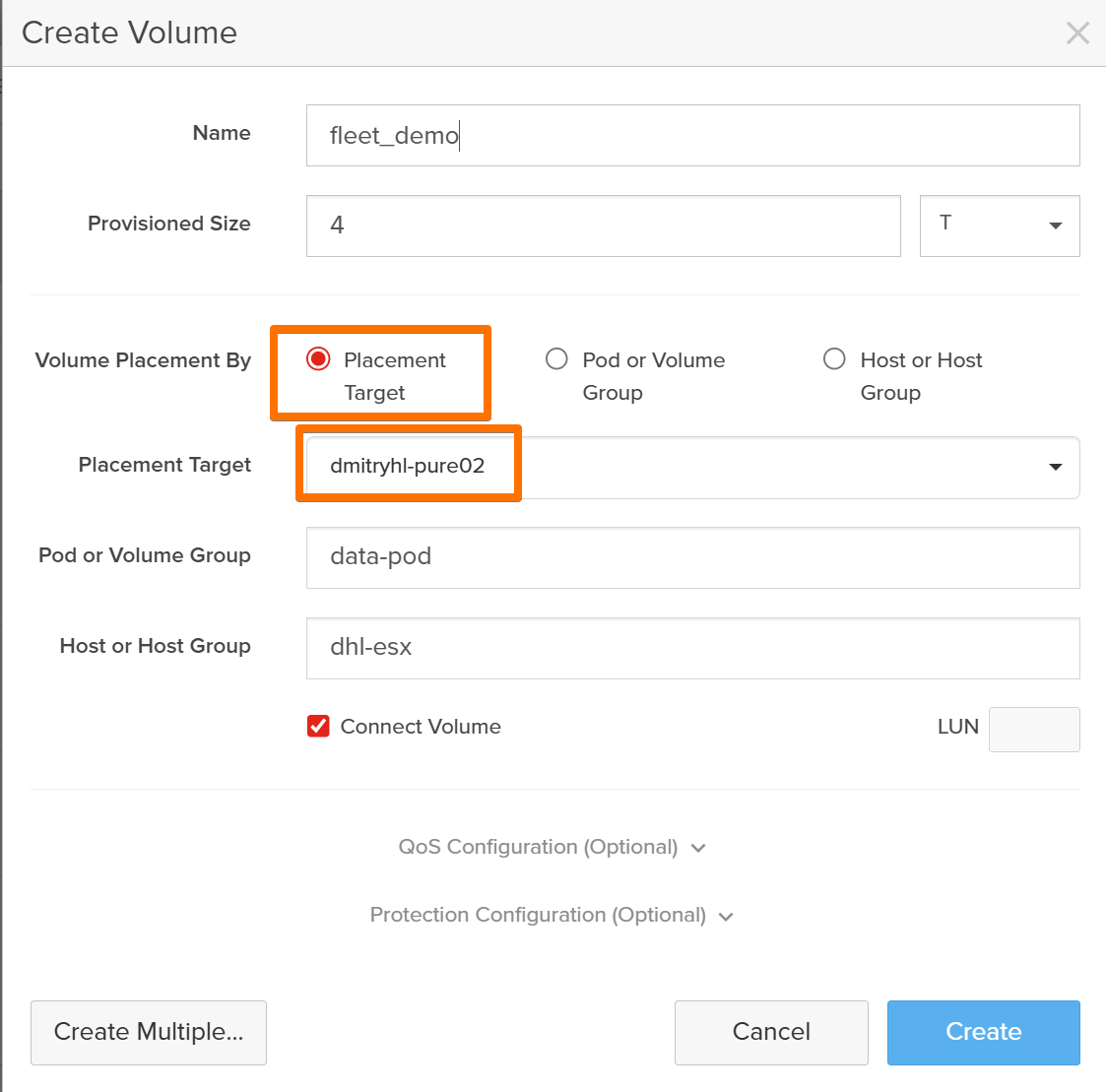
The important part: I didn’t click into each array to configure replication manually. Fusion orchestrated it across the fleet.
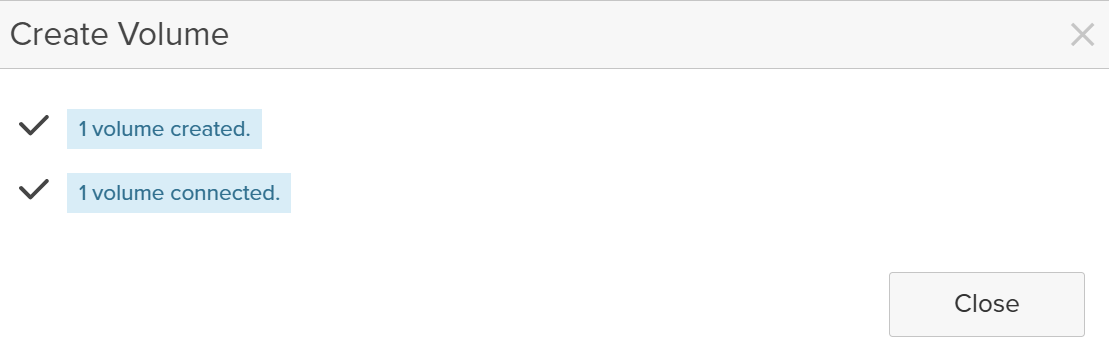

That’s the difference between managing boxes and managing a cloud.
Conclusion: Enterprise Data Cloud, Basement Edition
Looking back, here’s how the work breaks down:
- Hard Part (Part 1):
- Modernizing Active Directory
- Fixing DNS
- Promoting/demoting domain controllers
- Surviving the “everything is down” moment
- Fun Part (Part 2):
- Building a clean AD structure for Pure
- Configuring LDAP on the arrays (with a brief detour into DN hell)
- Leveraging built-in help in the FlashArray UI
- Creating a Fusion fleet
- Provisioning volumes as code from a single control plane
- Watching data land on the right array and replicate automatically
The biggest surprise?
Once identity and networking were right, Fusion was the easiest part of the project.
Now my basement rack doesn’t just look like a pile of gear — it behaves like a small, opinionated Enterprise Data Cloud, powered by Pure Storage Fusion.
And I can finally say: I don’t just talk about the cloud operating model all day…
I’m actually running it at home.
Now this was fun! Thank you for reading, feel free to comment below.